Friday, September 30, 2011

 Posted by
Brooke
Posted by
BrookeDixie tried my Gothic Halloween Tutorial and well it came out FABBY!!!! Thanks Dixie!!


 Labels:

This tutorial was written for experienced PSP users
Supplies:
Scrap kit by Designs By Sarah called Sweetest Halloween here
Artwork by Ismael Rac here
Font is called Henparty Sans
Plug in Eye Candy 6
New image 600x600
Open frame 10
Paste as a new layer
Re size
Position
Click inside with your magic wand
Expand by 3
Open paper 3
Paste as a new layer
Selections Invert Delete Select None
Add DS to your frame
Open your tube
Paste as a new layer
Re size
Position
Add DS
Open and paste these elements along with a DS:
Pumpkin
Candy 1
Candy Corn
Cupcake 2
Lolli 1-3
Bow 5
Spider 1
Web
Add all © info
Add your name
Add your name
Eye Candy Glass
Gradient Glow twice
Add DS
Merge visible
Save as PNG!


Thursday, September 29, 2011
Vickie from PSPingWithFriends did my Gothic Halloween Tut!!! Turned out fab hon!! Thanks so much! I just LOVE seeing what you ladies do with my tuts!! Keep em coming lol!!


This tutorial was written for experienced PSP users
Supplies:
FTU kit by KittzKreationz called Gothic Halloween here
Make sure you check out all her awesome freebies while your there!
Artwork by Elias Chatzoudis at PTE here
I bought this tube from MPT when Elias was there
Font is called Genetic Engine
Mask of choice
Plug in Eye Candy 6 & DSB Bright Noise
New image 600x600
Open the city
Paste as a new layer
Re size
Position
Add DS
Open your tube
Paste as a new layer
Re size
Position
Add DS
Open and paste these elements along with a DS:
Skull
Bomb
Horned Pumpkin
Candle
Lights
Stick
Blood Splatter
Open paper 6
Paste as a new layer
Apply Mask
Merge group
Add all © info
Add your name
Eye Candy Glass
Gradient Glow
Add DS
And animate!!

Dixie from a yahoo group did my Spookie tutorial!!! Thanks Dixie!! It's awesome!!


This tutorial was written for experienced PSP users:
Supplies:
Scrap kit by Rieka Rafita called Skullz Gurlz here
Artwork by VeryMany at PFD here
Font is called gabiies handwriting
Plug in Eye Candy 6
New image 600x600
Open frame 3
Paste as a new layer
Re size
Position
Click inside the frame with your magic wand
Expand by 3
Open paper 9
Paste as a new layer
Selections Invert Delete Select None
Add DS to your frame
Open your tube
Paste as a new layer
Re size
Position
Add DS
Open and paste these elements along with a DS:
Lolli 1 & 2
String 1
Skull 1
Cupcake
Circles
Star Lock
Word art circle
Bear
Sparkle 1
Add all © info
Add your name
Eye Candy Glass
Gradient Glow
Add DS
Merge visible
Save as PNG!


This tutorial was written for experienced PSP users
Supplies:
Scrap kit by ChiChi Designz called Spooked here
Artwork by Elias Chatzoudis at PTE here
Font is Times Old Attic
Mask if choice
Plug in Eye Candy 6
New image 600x600
Open the house
Paste as a new layer
Re size
Position
Add DS
Open your tube
Paste as a new layer
Re size
Position
Add DS
Open and paste these elements along with a DS:
Sign
Bats
Crooked fence
Skeleton 1
Grave
Cloud
Web
Fire
Spooky eyes
Book
Lantern
Leaves
Moon
Skulls
Smoke
Sparkle
Open paper 3
Paste as a new layer
Apply mask
Merge group
Add all © info
Add your name
Eye Candy Glass
Add DS
Merge visible
Save as PNG!

Ladies from the Creative Misfits Forum had a challenge to use my masks!!! I would proudly like to show them off! Thanks ladies for my wonderful tags!!


Monday, September 26, 2011

This tutorial was written for experienced PSP users:
Supplies:
Scrap kit by Kirstys Scraps called Pumpkin Lovin at SATC here
Artwork by Grafik at PFD here
Font is Bleeding Freaks
Mask of choice
Plug in Eye Candy 6
New image 600x600
Open frame 3
Paste as a new layer
Re size
Position
Click inside the frame using your magic wand
Expand by 3
Open paper 13
Paste as a new layer
Selections Invert Delete Select None
Add DS to your frame
Open your tube
Paste as a new layer
Re size
Position
Add DS
Open and paste these elements along with a DS:
Cat 2
Cat 2
Cupcake
Bat
Ghost
Spooky house
Pumpkin tree
Web
Open paper 13
Paste as a new layer
Apply Mask
Merge group
Add all © info
Add your name
Eye Candy Glass
Gradient Glow
Add DS
Merge visible
Save as PNG!

Sunday, September 25, 2011
New set of masks I made today! Inspiration comes from all the drama and haters in the PSP world which has gone a bit to far! So the ladies getting hounded by haters,Keep your head up and continue what you are doing,cause they just mad! :) Enjoy and leave loves or hugs if ya download!!


Subscribe to:
Posts (Atom)
Stay Away


About Me
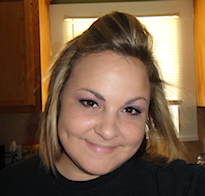
- Brooke
- Hello! My name is Brooke! I am from Southern Louisiana.SAHM to 3 kids and married to my best friend.I have been PSPing since Oct 2010 and loving every second of it! I love learning new things and being creative. Also a special thanks to Sue Ellen from Wicked Creationz Scraps for teaching me how to PSP!! Love you lots Sue :)
My Blinkies


Protected

Awards


Stores



My Fav Blogs







I CT For


My Blog List




Dork Sistaz


