Monday, September 12, 2011

 Posted by
Brooke
Posted by
Brooke
This tutorial was written for experienced PSP users
Supplies:
Scrap kit by ChiChi Designz called Twilight Wedding here
Artwork by Lorenzo Di Mauro at PTE here
Mask of choice
Plug in Eye Candy 6
New image 600x600
Open frame 2
Paste as a new layer
Re size
Position
Click inside with your magic wand
Expand by 2
Open paper 7
Paste as a new layer
Selections Invert Delete Select None
Add DS to your frame
Open your tube
Paste as a new layer
Re size
Position
Add DS
Open and paste these elements along with a DS:
Piano
Rose
Petals
Word Art 1&2
Rings
Sparkle 2
Open paper 8
Paste as a new layer
Apply mask
Merge group
Add all © info
Add your name
Eye Candy Glass
Gradient Glow
Add DS
Merge visible
Save as PNG!

 Labels:
Saturday, September 10, 2011

This tutorial was written for experienced PSP users
Supplies:
HUGE Scrap kit collab by the Designers of Pimp My Tags w/Scraps called
Wicked Way here
Artwork by Ted Hammond at CDO here
I purchased this tube from CILM when it was opened
Font is called Wayoshi
Plug in Eye Candy 6,Optional for the name
Open a new image 600x600
Open GG frame 1
Paste as a new layer
Re size
Position
Click inside the frame using your magic wand
Expand by 3
Open PDS paper 2
Paste as a new layer
Selections Invert Delete Select None
Add DS to your frame
Open your tube
Paste as a new layer
Re size
Position
Add DS
Open and paste these elements with a DS:
Sb Haunted House
Sb Tress
Sb Cauldron
GG Tree
GG Bats
GG Spider Web
PDS Headstone 2
PD Fence 1
PD Crow
PD Moon
TK Number Splat
TK Green Wicked Word Art
TK Flag Boo
Add all © info
Add your name
Adjust Add Noise to your likings
Eye Candy Gradient Glow
Add DS
Merge visible
Save as PNG!

Friday, September 9, 2011

This tutorial was written for experienced PSP users
Supplies:
Scrap kit by SkyScraps called Trashy Baby at SATC here
Artwork by Elias Chatzoudis at PTE here
Font is called McLawsuit
Mask of choice
Plug in Eye Candy 6
New image 600x600
Open frame 1
Paste as a new layer
Re size
Position
Click inside the frame using your magic wand
Expand by 3
Open paper 7
Paste as a new layer
Selections Invert Delete Select None
Add DS to your frame
Open your tube
Paste as a new layer
Re size
Position
Add DS
Open and paste these elements along with a DS:
Lipstick
Black flower
Grey Flower
Wire
Sexy String
Feathers
Star sparkle
Open paper 2
Paste as a new layer
Apply Mask
Merge group
Add all © info
Add your name
Eye Candy Glass
Gradient Glow
Add DS
Merge visible
Save as PNG!

Wednesday, September 7, 2011

This tutorial was written for experienced PSP users
Supplies:
Scrap kit by Addictive Pleasures called Dark And Sexy here
Artwork by Ismael Rac at the Xeracx Store here
Template by Punky Butts here
Font is called Half Cut Goth
Plug in Eye Candy 6 and Lokas Artistic Effects Gel---For Name and Word Art
Open your temp
Delete the © layer
Use papers 1 2 3 & 6
Add DS and gradient Glow to your frame layers
Open your tube close-up
Paste as a new layer over the left square
Position
Click on the square
Selections Select All Float De float
Click on your tube
Selections Select None
Change blend mode to Luminance Legacy
Repeat this step for right square and circle
Open your main tube
Paste as a new layer
Position
Add DS
Open and paste these elements along with a DS:
Spider web
Spider
Skulls
Rose
Candles
Stitch
Sparkles
Add all © info
Add your name
Add your name
Eye Candy Glass
Gradient Glow twice
Add DS
Merge visible
Save as PNG!

Tuesday, September 6, 2011

This tutorial was written for experienced PSP users
Supplies:
Scrap kit called Pink Dreams by Rieka Rafita here
Artwork by Jennifer Janesko at CDO here
I bought this tube from CILM when they were open
Font is Thought Zest
Mask of choice
Plug in Eye Candy 6,optional for name
New image 600x600
Open frame 2
Paste as a new layer
Re size
Position
Click inside the frame using your magic wand
Expand by 3
Open paper 6
Paste as a new layer
Selections Invert Delete Select None
Add DS to your frame
Open your tube
Paste as a new layer
Re size
Position
Add DS
Open and paste these elements along with a DS:
Bubbles
Bow
Doll String
Flower 1 & 2
Flower Scatter
Open paper 10
Paste as a new layer
Apply Mask
Merge group
Add all © info
Add your name
Eye Candy Glass
Gradient Glow
Add DS
Merge visible
Save as PNG!

Sunday, September 4, 2011

This tutorial was written for experienced PSP users
Supplies:
Scrap kit called Emolution 3 by Addictive Pleasures here
Artwork by VeryMany at PicsForDesign here
Font is Product Design
Plug in is Lokas Artistic Effects,optional for name
New image 600x600
Open frame 2
Paste as a new layer
Position
Click inside the frame with your magic wand
Expand by 3
Open paper 4
Paste as a new layer
Selections Invert Delete Select None
Add DS to your frame
Open your tube
Paste as a new layer
Re size
Position
Add DS
Open and paste these elements along with a DS:
Wire
Flower
Tag
Swirl
Button 2
Beads 3
Sneaker
Sparkle
Add all © info
Add your name
Apply Lokas Artistic Effects Gel with these settings

Add DS
Merge visible
Save as PNG!


Friday, September 2, 2011

This tutorial was written for experienced PSP users
Supplies:
Scrap kit by Designs by Sarah called Hot Kisses here
Artwork by Keith Garvey at PTE here
Font is Sarah Script
Mask of choice
Plug in Eye Candy 6
New image 600x600
Open the frame
Paste as a new layer
Re size
Position
Click inside the frame using your magic wand
Expand by 3
New Raster Layer
Flood fill each frame with color of choice
Selections Select None
Move below your frame layer
Open your closeup
Paste as a new layer
Arrange over frame
Click inside the frame with your magic wand
Expand by 3
Click on your tube
Selections Invert Delete Select None
Apply Luminance Legacy
Add DS
Repeat this step with the other two frames
Add DS to your frame once done
Open your full body tube
Paste as a new layer
Position
Add DS
Open and paste these elements along with a DS:
Lips
Lip stick
Cupcakes
Bow
Sparkle & Star
Tag
Open your paper
Apply Mask
Merge group
Add all © info
Add your name
Eye Candy Glass
Add DS
Merge visible
Save as PNG!


This tutorial was written for experienced PSP users
Supplies:
Scrap kit called Emolution 2 by Addictive Pleasures here
Artwork by VeryMany at Scraps and the City here
Font is Thought Zest
Plug in Eye Candy 6,optional
New image 600x600
Open frame 3
Paste as a new layer
Re size
Position
Click inside the frame using your magic wand
Expand by 3
Open paper 10
Paste as a new layer
Selections Invert Delete Select None
Add DS to your frame
Open your tube
Paste as a new layer
Re size
Position
Add DS
Open and paste these elements along with a DS:
Bag
Candy
Cupcake
Diamond
Lolli 1 & 3
Heart Bead
Teddy
Spray Can
Skulls
Sign 2
Sparkles
Ribbon
Add all © info
Add your name
Eye Candy Glass
Add DS
Merge visible
Save as PNG!


This tutorial was written for experienced PSP users
Supplies:
Scrap kit called Halloween party KittzKreationz here
Artwork by Elias Chatzoudis at PTE here
I bought this tube from My PSP Tubes when he was there
Font is called Mandingo
Mask of choice
Plug in Eye Candy 6,For the name which is optional
New image 600x600
Open the ribbon frame
Paste as a new layer
Re size
Position
Click inside the frame using the magic wand
Expand by 2
Open paper 6
Paste as a new layer
Selections Invert Delete Select None
Add DS to your frame
Open your tube
Paste as a new layer
Re size
Position
Add DS
Open and paste these elements along with a DS:
Bats
Cat 2
Orange Ribbon
Sign Post
Brew Juice
Pumpkin
Sparkles
Open paper 6
Paste as a new layer
Apply Mask
Merge group
Add all © info
Add your name
Eye Candy Glass
Add DS
Merge visible
Save as PNG!

Thursday, September 1, 2011

This tutorial was written for experienced PSP users
Supplies:
Scrap kit called Haunted by Designs By Sarah here
Artwork by Ismael Rac here
Font is Bleeding Freaks
Mask of choice
Plug in Eye Candy 6
New image 600x600
Open frame 2
Paste as a new layer
Re size
Position
Click inside the frame using your magic wand
Expand by 2
Open paper 7
Paste as a new layer
Selections Invert Delete Select None
Add DS to your frame
Open your tube
Paste as a new layer
Re size
Position
Add DS
Open and paste these elements along with a DS:
Tag 1 & 2
Flower 2 & 4
Beads
Bow 6
Button 1
Spider 2
Ribbon 2
Open paper 3
Paste as a new layer
Apply Mask
Merge group
Add all © info
Add your name
Eye Candy Glass
Gradient Glow
Add DS
Merge visible
Save as PNG!


Subscribe to:
Posts (Atom)
Stay Away


About Me
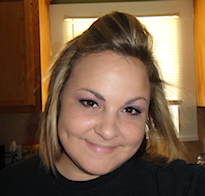
- Brooke
- Hello! My name is Brooke! I am from Southern Louisiana.SAHM to 3 kids and married to my best friend.I have been PSPing since Oct 2010 and loving every second of it! I love learning new things and being creative. Also a special thanks to Sue Ellen from Wicked Creationz Scraps for teaching me how to PSP!! Love you lots Sue :)
My Blinkies


Protected

Awards


Stores


My Fav Blogs







I CT For


My Blog List




Dork Sistaz


