Saturday, July 9, 2011

 Posted by
Brooke
Posted by
Brooke
This tutorial was written for experienced PSP users
Supplies:
Scrap kit by Rieka Rafita called Cupcakelicious here
Artwork by Elias Chatzoudis at PTE here
I purchased this tube from MPT when he was there
Font is LDJ Jilly Nilly
Mask of choice
Plug in Eye Candy 6
New image500x500
Open frame 4
Paste as a new layer
Re size
Position
Click inside the frame with your magic wand
Expand by 3
Open paper 7
Paste as a new layer
Selections Invert Delete Select None
Add DS to your frame
Open your tube
Paste as a new layer
Re size
Position
Add DS
Open and paste these elements along with a DS:
Lollipop 1-3
Bow 2
Sparkle
Flower 3
Ribbon 3
Flower 2
Word Art 4
Cupcake 1 4 & 5
Confetti
Open paper 14
Paste as a new layer
Apply Mask
Merge group
Add all © info
Add your name
Eye Candy Glass
Gradient Glow
Add DS
Merge visible
Save as PNG!

 Labels:
Friday, July 8, 2011

This tutorial was written for experienced PSP users
Supplies:
Scrap kit by Addictive Pleasures called Mew Goth here
Artwork by Lix at PTE here
Font is fontdinerdotcom
Plug in Eye Candy 6
New image 500x500
Open frame 1
Paste as a new layer
Re size
Position
Click inside the frame using your magic wand
Expand by 3
Open paper 3
Paste as a new layer
Selections Invert Delete Select None
Add DS to your frame
Open your tube
Paste as a new layer
Re size
Position
Add DS
Open and paste these elements along with a DS:
Bones
Teddy
Cupcake 1 & 2
Skulls
Deco 3
Candy
Sparkles
Tag
Add all © info
Add your name
Eye Candy Glass
Gradient Glow
Add DS
Merge visible
Save as PNG!

This tutorial was written for experienced PSP users
Supplies:
Scrap kit by Addictive Pleasures called Mew Cutie here
Artwork by Lix at PTE here
Font is 2Peas Playground
Mask of choice
Plug in Eye Candy 6
New image 500x500
Open frame 1
Paste as a new layer
Re size
Position
Click inside the frame using your magic wand
Expand by 3
Open paper 6
Paste as a new layer
Selections Invert Delete Select None
Add DS to your frame
Open your tube
Paste as a new layer
Re size
Position
Add DS
Open and paste these elements along with a DS:
Cupcake
Hearts 2
Star
Ribbon 5
Open paper 6
Paste as a new layer
Apply Mask
Merge Group
Add all © info
Add your name
Eye Candy Glass
Add DS
Merge visible
Save as PNG!
Wednesday, July 6, 2011

This tutorial was written for experienced PSP users
Supplies:
Scrap kit called Emo Nation by Toxic Desirez here
Artwork by Lady Mishka at Scraps and the City here
Font is called Amazon
Plug in Eye Candy 6
Open a new image 500x500
Open frame 1
Paste as a new layer
Re size
Position
Click inside the frame using your magic wand
Expand by 3
Open paper 4
Paste as a new layer
Selections Invert Delete Select None
Add DS to your frame
Open your tube
Paste as a new layer
Re size
Position
Add DS
Open and paste these elements along with a DS:
Sparkle
Splatter
Cupcake
Lolli 1 2 & 3
Soda
Bottle
Ribbon 2
Word Art
Beaded String
Kitty
Bow 2
Wire
Pom Pom
Add all © info
Add your name
Eye Candy Glass
Gradient Glow Twice
Add DS
Merge visible
Save as PNG!

This tutorial was written for experienced PSP users
Supplies:
Scrap kit by Crystals Creations here
Artwork by VeryMany at PFD here
Font is Toonish
Mask of choice
Plug in Eye Candy 6
New image 500x500
Open frame
Paste as a new layer
Re size
Position
Click inside the frame using your magic wand
Expand by 3
Open paper 12
Paste as a new layer
Selections Invert Delete Select None
Add DS to your frame
Open your tube
Paste as a new layer
Re size
Position
Add DS
Open and paste these elements along with a DS:
Green Heart
Skull splatter
Lolli
Bottle cap
Wine Glass
Bottle
Cat
Pink ribbon
Word art
Sparkle
Open paper 5
Apply Mask
Merge group
Add all © info
Add your name
Eye Candy Gradient Glow
Add Ds
Merge visible
Save as PNG!

This tutorial was written for experienced PSP
Supplies:
Scrap kit by KittzKreationz Called Neon Rock here
Artwork by Zlata_M at PFD here
Font is Minus
Mask of choice
Plug in Eye Candy 6
New image 500x500
Open funky frame
Paste as a new layer
Re size
Position
Click inside the frame using your magic wand
Expand by 3
Open paper 3
Paste as a new layer
Selections Invert Delete Select None
Add DS to your frame
Open your tube
Paste as a new layer
Re size
Position
Add DS
Open and paste these elements along with a DS:
Cupcake
Flutterby
Shoe
Lolli
Stars
Spray can
Bubbles
Tiny flutter
Open paper 5
Paste as a new layer
Apply Mask
Merge group
Add all © info
Add your name
Eye Candy Glass
Add DS
Merge visible
Save as PNG!
Love Shack Tutorials has an awesome Golden Goddess Forum Set Tutorial!! This was my try!! Thanks for sharing your talent Lovey!!


Tuesday, July 5, 2011

This tutorial was written for experienced PSP users
Supplies:
Scrap kit called Emolicious Treats by Gina's Gems Scraps here
Artwork by VeryMany at PFD here
Font is fontdinerdotcom
Mask 5 by ChiChi Designz here
Plug in Eye Candy 6
New image 500x500
Open spike frame
Paste as a new layer
Re size
Position
Click inside using your magic wand
Expand by 2
Open paper 1
Paste as a new layer
Selections Invert Delete Select None
Add DS to your frame
Open your tube
Paste as a new layer
Re size
Position
Add DS
Open and paste these elements along with a DS:
Cupcake
Bomb
Cola
Lolli
Journal
Sneaker
Star and Gear glitter
Pencil
Sticker
Open paper 4
Paste as a new layer
Apply Mask
Merge group
Add all © info
Add your nameEye Candy Glass
Gradient Glow Twice
Add DS
Merge visible
Save as PNG!
Monday, July 4, 2011

This tutorial was written for experienced PSP users
Supplies:
Scrap kit called Comic Girl by Pimp'd Designz here
Artwork by Elias Chatzoudis at PTE here
Font is called akaHoggle
New image 500x500
Open frame 3
Paste as a new layer
Re size
Position
Click inside the frame using your magic wand
Expand by 3
Open paper 4
Paste as a new layer
Selections Invert Delete Select None
Add DS to your frame
Add DS to your frame
Open your tube
Paste as a new layer
Re size
Position
Add DS
Open and paste these elements along with a DS:
Spiderweb
Spider
Sign
Bubble 1
Ribbon 3
Add the words I DARE YOU TO in your bubble
Add all © info
Add your name
Eye Candy Glass
Gradient Glow
Add DS
Merge visible
Save as PNG!
Sunday, July 3, 2011

This tutorial was written for experienced PSP users
Supplies:
Scrap kit called Pink Goth by Toxic Desirez here
Artwork by Lix from PTE here
Template by Divine Intentionz here
Plug in Eye Candy 6
Open your template
Use papers 1 3 7 & 16
Add noise to frames
Add a black Gradient Glow to your layers
Open your tube
Paste as a new layer
Position over one square
Select the square
Selections Float De float
Click on your tube
Selections Invert Delete Select None
Change blend mode to Luminance (L)
Repeat this step for the other two squares
Open and paste your tube again
Position
Add DS
Open and paste these elements along with a DS:
Bear
Bow 2
Cupcake
Doodle 2
Lolli 2 & 3
Flames
Screw
Word Art
Sparkles
Web
Add all © info
Add your name
Eye Candy Glass
Gradient Glow
Add DS
Merge visible
Save as PNG!
Saturday, July 2, 2011

This tutorial was written for experienced PSP users
Supplies:
Scrap kit called Flattery by Designs By Sarah here
Artwork by Keith Garvey at PTE here
Plug in Eye Candy 6
New image 500x500
Open frame 5
Paste as a new layer
Re size
Position
Click inside the frame using your magic wand
Expand by 2
Open paper 2
Paste as a new layer
Selections Invert Delete Select None
Add DS to your frame
Open your tube
Paste as a new layer
Re size
Position
Add DS
Open and paste these elements along with a DS:
Banner 2
Beads
Button 1
Bracket
Squares 1
Flower 6
Skull 2
Splatter 3
Swirl 2
Add all © info
Add your name
Eye Candy Glass
Gradient Glow
Add DS
Merge visible
Save as PNG!
Friday, July 1, 2011

This tutorial was written for experienced PSP users
Supplies:
Scrap kit by Addictive Pleasures called Spider Girl here
Artwork by Elias Chatzoudis at PTE here
Template By Brutal Designs here
Plug in Eye Candy 6
Open your template
Delete The © layer
Use papers 3 4 6 7 9 & 10
Open your tube
Paste as a new layer
Re size
Position
Add DS
Open and paste these elements along with a DS:
Wire
Splatter Back
Spider 3
Clouds
Moon
City
Text
Sign 2
Staple
Add all © info
Add your name
Eye Candy Glass
Gradient Glow Twice
Add DS
Merge visible
Save as PNG!
Subscribe to:
Posts (Atom)
Stay Away


About Me
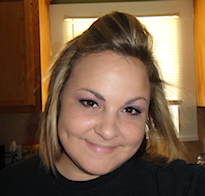
- Brooke
- Hello! My name is Brooke! I am from Southern Louisiana.SAHM to 3 kids and married to my best friend.I have been PSPing since Oct 2010 and loving every second of it! I love learning new things and being creative. Also a special thanks to Sue Ellen from Wicked Creationz Scraps for teaching me how to PSP!! Love you lots Sue :)
My Blinkies


Protected

Awards


Stores


My Fav Blogs







I CT For


My Blog List




Dork Sistaz


