Monday, May 9, 2011

 Posted by
Brooke
Posted by
Brooke
This tutorial was written for experienced PSP users
Supplies:
Scrap kit by Addictive Pleasures called Red Riding Hood here
Artwork by Elias Chatzoudis at PSP Tubes Emporium here
Font of choice
New image 500x500
Open frame 4
Open frame 4
Paste as a new layer
Re size
Position
Click inside with your magic wand
Expand by 2
Open paper 5
Paste as a new layer
Selections Invert Delete Select None
Add DS to your frame
Open your tube
Paste as a new layer
Re size
Position
Add DS
Open and paste these elements along with a DS:
Blossoms
Basket
Cupcake
Butterflies
Deco
Wolf
Apple
Grass
Glitter
Bow 2
Sparkles
Tag 2
Add all © info
Add your name
EC Glass
Gradient Glow
Add DS
Merge visible
Save as PNG!

 Labels:

This tutorial was written for experienced PSP users
Supplies:
Scrap kit called Don't Stop The Music by Rieka Rafita here
Artwork by Elias Chatzoudis.You can purchase from PTE here
Font of choice
New image 500x500
Open frame 2
Paste as a new layer
Re size
Position
Click inside using your magic wand
Expand by 3
Open paper 6
Paste as a new layer
Selections Invert Delete Select None
Add DS to your frame
Open your tube
Paste as a new layer
Re size
Position
Add DS
Open and paste these elements along w/a DS:
Disco ball
Heart string
Musical Note 1 2 & 4
Splatter
Record 1
Radio
Heart Skull
Ribbon 1
Star 1
Sparkles
Add all © info
Add your name
Add Noise
Gradient Glow
Add DS
Merge visible
Save as PNG!
Saturday, May 7, 2011

This tutorial was written for experienced PSP users
Supplies:
Scrap kit called Punked Up by Toxic Desirez here
Artwork by VeryMany at Pics For Design here
Font of Choice
New image 500x500
Open frame 1
Paste as a new layer
Re size
Position
Click inside the frame using your magic wand
Expand by 3
Open paper 26
Paste as a new layer
Selections Invert Delete Select None
Add DS to your frame
Open your tube
Paste as a new layer
Re size
Position
Add DS
Open and paste these elements along with a DS:
Bow and charm
Bow and charm
Beaded String
Shoes
Lollies
Lips
Splatter 1 & 2
Word art
Flames
Knuckles
Sparkle
Add all © info
Add your name
EC Glass
Gradient Glow
Add DS
Merge visible
Save as PNG!
Thursday, May 5, 2011
Hey ladies! Sorry I leave this stuff out! But when I use Eye Candy these are always the settings I use for that plug in unless I use Gradient Glow twice,but I'll let you know if I do and if I use another plug in I'll make sure and post the settings.....
Eye Candy 6 Glass Settings


Eye Candy 6 Gradient Glow


This tutorial was written for experienced PSP users
Supplies:
Scrap kit called True Blood By Rieka Rafita here
Artwork by Ismael Rac here
Mask Included in Kit
Plug in Eye Candy 6
New image 500x500
Open frame 2
Paste as a new layer
Re size
Position
Click inside the frame using your magic wand
Expand by 5
Open paper 14
Paste as a new layer
Selections Invert Delete Select None
Add DS to your frame
Open your tube
Paste as a new layer
Re size
Position
Add DS
Open and paste these elements along with a DS:
Flower Leave
Banner
Butterfly
Leaves
Skull 2
Bow 2
Clock
Candle bra
Ribbons 1 & 2
Sparkle
Open mask
Copy and paste as a new layer
Move it to the bottom on your layers
Add all © info
Add your name
Eye Candy Glass
Gradient Glow
Add DS
Merge Visible
Save as PNG!
Wednesday, May 4, 2011

This tutorial was written for experienced PSP users
Supplies:
Scrap kit by Addictive Pleasures called Brutal Bitch here
Template by Brutal Designs here
Artwork by Keith Garvey at PTE here
Plug ins Xero Radiance & Eye Candy 6
Open Template and delete the © layer
Open papers 4 9 & 10 and use them on your template
Add Noise to your frames
Open your tube
Position over your circles
Click inside the frames
Expand by 2
Click on your tubes
Selections Invert Delete Select None
Change blend mode to screen on one
Add xero radiance to the other
Open your full body tube
Paste as a new layer
Re size
Position
Add DS
Open and paste these elements along w/a DS:
Dice
Dart board
Wire 2
Bottle
Kiss
Nail Polish
Star scatter
Star
Pill
Tag
Glitter
Ribbon 3
Syringe
Black ribbon
Netting
Sparkle
Add all © info
Add your name on the tag
Eye Candy Glass
Gradient Glow
Merge visible
Save as PNG!

This tutorial was written for experienced PSP users
Supplies:
Scrap kit called Trash Girl by Rieka Rafita here
Artwork by Elias Chatzoudis here at PTE
Plug in Eye Candy 6
New image 500x500
Open frame 2
Paste as a new layer
Re size
Position
Using your magic wand
Click frame 1
Expand by 2
Add a new raster layer
Use a color from the color palette to flood fill that area
Repeat this for the next 2 frames
Open your tube
Paste as a new layer
Re size
Position on your frame
Click inside each frame with your magic wand
Expand by 2
Click on tube
Selections Invert Delete Select None
Add DS to your frame
Apply Luminance(L) to your tube
Apply your tube again but this time mirror it
Re size if needed
Add DS
Open and paste these elements w/DS:
Flowers 1&2
Wing love
Tickle whip
Ribbons 1 & 2
Lipstick
Nail polish
Wire
Glitter splatter 1 & 2
Sparkles
Add all © info
Add your name
EC Glass
Gradient Glow
Add DS
Merge visible
Save as PNG!
Monday, May 2, 2011

This tutorial was written for experienced PSP users
Supplies:
Scrap kit called Emolicious by Grunge & Glitter Scraps here
Artwork by Celine.I purchased this tube from MPT when she was there.
You can now purchase her work at SATC here
New image 500x500
Paste as a new layer
Re size
Position
Click inside the frame with your magic wand
Expand by 3
Open paper 17
Paste as a new layer
Selections Invert Delete Select None
Add DS to your frame
Open your tube
Paste as new layer
Re size
Position
Add DS
Open and paste these elements along with a DS:
Mask 1
Zipped Heart 1
Bow 2
Glitter Stars 1-4
Beads 4
Easel 1
Ribbons 6 &7
Star swirl
Sparkles
Skull 3
Add all © info
Add your name
EC Glass
Gradient Glow
Add DS
Merge Visible
Save as PNG!

This tutorial was written for experienced PSP users:
Supplies:
Scrap kit by A Taggers Scrap called Goth This here
Artwork by Zlata_M over at PFD here
Plug in Eye Candy 6
New image 500x500
Open frame 5
Paste as a new layer
Re size
Position
Click inside the frame with your magic wand
Expand by 2
Open paper 6
Paste as a new layer
Selections Invert Delete Select NoneAdd DS to your frame
Open your tube
Paste as a new layer
Re size
Position
Add DS
Open and paste these tubes along w/DS:
Mesh
Glitter skulls
Candle bra
Glyph
Goblets
Skull
Ribbon
Staple
Glitter
Rose
Add all © info
Add your name
Eye Candy Glass
Gradient Glow
Add DS
Merge visible
Save as PNG!
Hey ladies....I was informed that the URL's that I were using for garv and Elias
were not correct on some tags,so therefore I had to delete some tuts and the psd formats
weren't saved.So if you may come across some that were deleted.
I am truly sorry.
Sunday, May 1, 2011

This tutorial was written for experienced PSP users
Supplies:
Scrap kit called Kawaii Gurl from Rieka Rafita here
Artwork by Lady Mishka..You can now purchase her art at SATC here
Plug in Eye Candy 6
New image 500x500
Open frame 2
Paste as a new layer
Re size
Position
Click inside the frame using your magic wand
Expand by 2
Open paper 11
Paste as a new layer
Selections Invert Delete Select None
Add DS to your frame
Open your tube
Paste as a new layer
Re size
Position
Position
Add DS
Open and paste these elements w/DS:
Kawaii star 2
Spiral stars
Skull cupcake
Lollie
Doodle
Splash 1
Heart String
Heart Skull
Ribbon 3
Sparkles 1 2 & 3
Add all © info
Add your name
Eye Candy Glass
Gradient Glow
Add DS
Merge visible
Save as PNG!

This tutorial was written for experienced PSP users
Supplies:
Scrap kit called Pink Life by A Taggers Scrap here
Artwork by Fred Winkler at CDO here
Font is Gwendolyn Bold
Plug in Eye Candy 6
New image 500x500
Open frame 6
Paste as a new layer
Re size
Position
Click inside with you magic wand
Expand by 2
Open paper 21
Paste as a new layer
Selections Invert Delete Select None
Add DS to your frame
Open your tube
Paste as a new layer
Re size
Position
Erase the bottom part of her along the frame
Add DS
Open and paste these elements along w/DS:
Deco 2
Word art
Wings
Tiny leaves
Posey
Deco 14
Frame 14
Light travel
Sparkles
Add all © info
Add your name
Eye Candy Gradient Glow
Add DS
Merge visible
Save as PNG!
Subscribe to:
Posts (Atom)
Stay Away


About Me
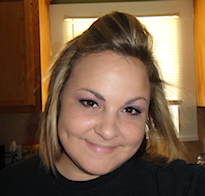
- Brooke
- Hello! My name is Brooke! I am from Southern Louisiana.SAHM to 3 kids and married to my best friend.I have been PSPing since Oct 2010 and loving every second of it! I love learning new things and being creative. Also a special thanks to Sue Ellen from Wicked Creationz Scraps for teaching me how to PSP!! Love you lots Sue :)
My Blinkies


Protected

Awards


Stores


My Fav Blogs







I CT For


My Blog List




Dork Sistaz


