Tuesday, April 19, 2011

 Posted by
Brooke
Posted by
Brooke
This tutorial was written for experienced PSP users
Supplies:
Scrap kit by Creative Scraps by Crys called Bella's
New Beginning here
Artwork by Medi here
Font is Twilight
Plug In Eye Candy 6
New image 500x500
Open frame 1
Paste as a new layer
Re size
Position
Click inside with magic wand
Expand by 3
Open paper 9
Paste as a new layer
Selections Invert Delete
Add DS to frame
Open the tube
Paste as a new layer
Re size
Position
Erase parts of it for the pop effect
Add DS
Open and paste these elements with DS:
Flower cluster
Blue & White Rose
Rings 2
Music Notes
Doves
Sparkles
Add any © info
Add your name
EC Glass
Gradient Glow
Add DS
Merge visible
Save as PNG!

 Labels:

This tutorial was written for experienced PSP users
Supplies:
Scrap kit by Creative Scraps by Crys called April Showers here
Font is Aquarelle
Mask 84 from Weescotslass Creations here
Plug in Eye Candy 6
New Image 500x500
Open the puddle
Paste as a new layer
Re size
Position
Add DS
Open girl 1
Paste as a new layer
Re size
Position
Add DS
Open and paste these elements w/DS:
Cloud 1
Rain
Lightening
Duck 2
Grass 2
Flowers 1 2 4 5
Tree
Umbrella
Open paper 14
Apply Mask
Merge group
Add any ©info
Add your name
EC Glass
Gradient Glow
Add DS
Merge visible
Save as PNG!

This tutorial was written for experienced PSP users
Supplies:
Scrap kit by Sweet Cravings Scraps by Kara called Prevent
The Heartache here
Artwork by Suzanne Woolcott here
Font is Boingo
Plug in Eye Candy 6
Open frame 5
Paste as as a new layer
Re size
Position
Click inside using your magic wand
Expand by 3
Open paper 3
Paste as a new layer
Selections Invert Delete Select None
Add DS to your frame
Open tube
Paste as a new layer
RE size
Position
Add DS
Open and paste these elements w/DS:
Ribbon 6
Butterfly
Tree 1
Sparkle 2
Flower 2
Add all © info
Add your name
Eye Candy 6
Glass
Gradient Glow
Add DS
Merge visible
Save as PNG!
Sunday, April 17, 2011

This tutorial was written for experienced PSP users
Supplies:
Scrap kit called Music by Butterfly Kisses Scraps here
Artwork by OrkusArt here at PFD
Font is called Domingo
Mask 192 from Weescotslass Creations here
Plug in Eye Candy 6
New image 500x500
Open city scape
Paste as a new layer
Re size
Position
Eye Candy Gradient glow
Add DS
Open your tube
Paste as a new layer
Re size
Position
Add DS
Open and arrange these elements w/DS:
Star Cluster
Butterfly 1
Tags 1 2 & 4
Button
Bow 1 & 2
IPod 3
Head Phones 2
Staple 4
Sparkle
Open paper 17
Paste as a new layer
Apply Mask
Merge group
Add all © info
Add your name
Eye candy Glass,Stainless Steal
Gradient Glow
Add DS
Merge Visible
Save as PNG!
Thursday, April 14, 2011

This tutorial was written for experienced PSP users
Supplies:
Scrap kit called Be My Bunny from A Taggers Scrap here
Artwork by Elias Chatzoudis at PTE here
Font is Capistrano BF
Plug in Eye Candy 6
New image 500x500
Open frame 6
Paste as a new layer
Re size
Position
Click inside using your magic wand
Expand by 3
Open paper 20
Paste as a new layer
Selections Invert Delete Select None
Add DS to your frame
Open the tube
Paste as a new layer
Re size
Position
Add DS
Open and paste these elements w/DS:
Deco 2 & 3
Greenery
Flower 4 & 5
Sparkles
Add all © info
Add your name
Eye candy Glass
Gradient Glow
Add DS
Merge Visible
Save as PNG!
Wednesday, April 13, 2011

This tutorial was written for experienced PSP users
Supplies:
Scrap kit called Girlz Stuff by Butterfly Kisses Scraps here
Artwork by Tim Lowery at PTE here
Please use proper © and licence info
Font is Fontdinerdotcom
Plug in Eye Candy 6
Open a new image 500x500
Open frame 1
Paste as a new layer
Re size
Position
Click inside the frame using your magic wand
Expand by 2
Open paper 19
Paste as a new layer
Selections Invert Delete Select None
Add DS to your frame
Open your tube
Paste as a new layer
Re size
Position
Add DS
Open and paste these elements w/DS:
City
Bead string
Candy stick
Doodle 2
Flowers 1 & 2
Push pin 2
Bow 3
Add all © info
Add your name
Eye candy Glass
Gradient Glow
Add DS
Merge visible
Save as PNG!

Tuesday, April 12, 2011

This tutorial was written for experienced PSP users
Supplies:
Scrap kit called Metal Babe by Toxic Desirez here
Artwork by Elias Chatzoudis here
I bought this tube when he was at MPT
Font is CopperplateTbol
Plug in Eye Candy 6---Xero Fritillary
New image 500x500
Open frame 1
Paste as a new layer
Re size
Position
Click inside using your magic wand
Expand by 3
Open paper 2
Paste as a new layer
Selections Invert Delete Select None
Add DS to your frame
Open your tube
Paste as a new layer
Re size
Position
Add DS
Open and paste these elements w/DS:
Bow 2
Chain
Guitar 1
Glitter Wings
Music note
Skull & guitars
Splatter 1 & 2
Add all © info
Add your name
Xero Fritillary
Add Gradient glow
Add DS
Merge visible
Save as PNG!

This tutorial was written for experienced PSP users
Supplies:
Scrap kit called Spring Fever by Grunge & Glitter here
Artwork by Simon Han.I bought this tube while he was
Font called Boingo
Mask 226 from Weescotslass Creations here
Plug in Eye Candy 6
New image 500x500
Open frame 3
Paste as a new layer
Re size
Position
Click inside the frame using your magic wand
Expand by 3
Open paper 9
Paste as a new layer
Selections Invert Delete Select None
Add DS to your frame
Open your tube
Paste as a new layer
Re size
Position
Add DS
Open and paste these elements along w/DS:
Beads 1
Brad 4
Doodle 1
Flower doodle 4
Jelly beans
Ribbon 4
Ribbon 2
Alpha S p r i n g
Open paper 13
Paste as a new layer
Apply mask
Merge group
Add © info
Add your name
Eye candy Glass
Gradient glow
Add DS
Merge visible
Save as PNG!

This tutorial was written for experienced PSP users
Supplies:
Scrap kit called A Sweet Escape by Creative Scraps by Crys here
Font is Capistrano BF
Mask 3 from Weescotlass Creations here
Plug in Eye Candy 6
New image 500x500
Open and paste these elements w/DS:
Tree 1 & 2
House
Tourist 1 & 2
Balloons 1 & 2
Bird
Flowers
Air Balloon
Umbrella
Sun
Scatter
Open paper 10
Paste as a new layer
Apply Mask
Merge group
Add any © info
Add your name
Eye Candy Glass
Gradient Glow
Add DS
Merge visible
Save as PNG!
Thursday, April 7, 2011

This tutorial was written for experienced PSP users
Supplies:
Scrap kit by Butterfly Kisses Scraps called Colors Of Joy here
Font is called 2 Peas Playground
Mask 226 from Weescotslass Creations here
Plug in Eye Candy 6
Open a new image 500x500
Open your grass
Paste as a new layer
Re size
Position
Add DS
All your gonna do is open and paste these
Elements along with a DS:
Rainbow
Butterfly
Orange and Purple flowers
Tag
Doodle 1 and 2
Tree
Purple circles
Purple fairy
Open paper 10
Paste as a new layer
Apply mask
Merge group
Add any © info
Add your name
Eye Candy Glass
Gradient Glow
Add DS
Merge visible
Save as a PNG!
Subscribe to:
Posts (Atom)
Stay Away


About Me
- Brooke
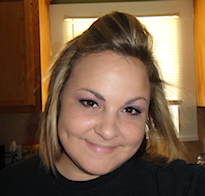
- Hello! My name is Brooke! I am from Southern Louisiana.SAHM to 3 kids and married to my best friend.I have been PSPing since Oct 2010 and loving every second of it! I love learning new things and being creative. Also a special thanks to Sue Ellen from Wicked Creationz Scraps for teaching me how to PSP!! Love you lots Sue :)
My Blinkies


Protected

Awards


Stores



My Fav Blogs







I CT For


My Blog List




Dork Sistaz


